TPL/2
Compact Typed Path Line Protocol — browse and edit a tree of values on microcontrollers over serial.
The TPL Browser runs in your browser over HTTPS — no local install. Flash the demo sketch, plug in USB, and connect.
What is this?
TPL/2 is a lightweight, line-oriented text protocol for resource-constrained devices.
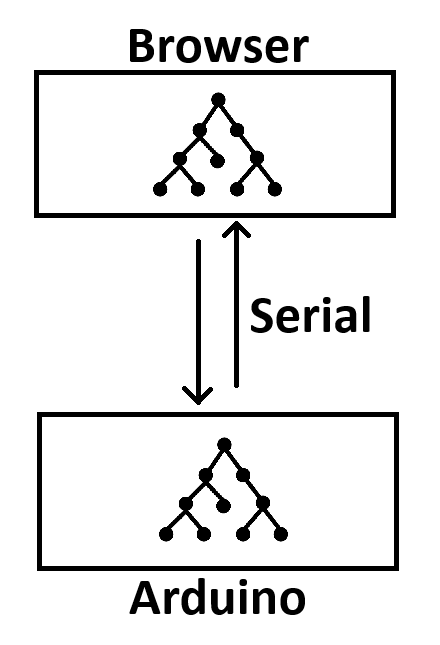
The device exposes a hierarchical path tree — like a tiny read-only filesystem of typed settings and live readings.
Clients discover structure with LIST, read leaves with GET or batch-read with MGET, and write stored values with SET.
Designed for Arduino-class boards: one request at a time, UTF-8 text, no JSON parser required on the firmware side.
ifvrev caching)vrev)Demo device tree
The included Arduino sketch serves a small example tree:
/
├── server/
│   ├── proto     (s:, read-only)   → "TPL/2"
│   ├── name      (s:, rw)
│   ├── uptime    (u:, live)
│   ├── maxline   (u:)
│   └── trev      (u:, live)
├── cfg/
│   ├── mode      (u:, rw, 0–2)
│   └── name      (s:, rw)
└── io/
    └── ain0      (f:, live — simulated analog input)
On boot the device sends # TPL/2 ready before accepting commands.
Quick start
- Flash the demo sketch — download tpl_demo.ino, open it in the Arduino IDE (or arduino-cli), select your board, and upload. Default baud rate is 115200.
- Plug in USB — connect the board to your computer. Close the Arduino Serial Monitor if it is open (only one program can use the port).
- Open the TPL Browser — use the hosted app (tpl_browser.html on this site). Choose Simulated device to try without hardware, or USB Serial with your flashed board. Click Connect and browse the tree.
localhost. Serial data stays on your machine; nothing is sent to a cloud service.
Example session
C> LIST 1 /server values=1
S> OK 1 path=/server trev=1 count=5 next=-
S> ITEM 1 path=/server/uptime kind=L acc=r type=u val=u:42 live=1
S> END 1

C> MGET 2 /io/ain0 /server/uptime
S> OK 2 count=2 miss=0
S> ITEM 2 path=/io/ain0 val=f:23.50
S> ITEM 2 path=/server/uptime val=u:42
S> END 2

C> SET 3 /cfg/mode u:2 ifvrev=2
S> OK 3 path=/cfg/mode vrev=3
Download & distribute
End users only need the firmware. The TPL Browser is hosted on this website — no download or local web server required. To implement TPL/2 on your own hardware, start from the demo server and adapt the node table. A reusable Arduino library is under development — today the demo is a single self-contained sketch.
Files
-
tpl_demo.ino— flash this on your board Download -
TPL Browser— hosted Web Serial client (tree, console, live poll) Open -
tpl2_spec.md— protocol specification View -
Arduino library— reusable TPL/2 server (under development) Coming
Developers can self-host the same static files (index.html, tpl_browser.html, spec, sketch). No build step.
Why TPL/2?
- Tree-native — paths like
/cfg/modemap directly to firmware data; discovery viaLISTneeds no separate INFO/DESC commands. - Typed values —
u:,i:,f:,b:,s:on the wire; strings are percent-encoded. - Live vs stored — sensors and uptime are
live=1(always fresh); settings usevrevfor cache-friendly GET and SET conflict detection. - Batch reads —
MGETpolls scattered live paths efficiently (used by the browser’s live poll feature). - Human-debuggable — every line is readable in a serial monitor; AI and scripts can drive it without a binary codec.